Expo를 사용하면 리액트 네이티브 환경 세팅을 쉽게 할 수 있습니다.
1. 프로젝트 생성
nvm install 22
nvm use 22
npx rn-new@latest --nativewind
유틸성과 개발자 생태계 측면 tailwind가 좋기 때문에 nativewind 프로젝트를 생성했습니다.
npm start로 expo 프로젝트를 시작할 수 있습니다.
2. expo go 앱 설치
앱을 설치하고 단말기로 QR코드를 스캔하면 바로 테스트를 할 수 있습니다.
유의할 점은 서버 시작 환경과 단말기가 같은 네트워크 상에 있어야 합니다.
3. react-native-webview
웹뷰를 제공하는 라이브러리입니다.
https://docs.expo.dev/versions/latest/sdk/webview/
react-native-webview
A library that provides a WebView component.
docs.expo.dev
설치 방법은 위의 expo 홈페이지에서 확인 가능합니다.
4. 웹뷰에 소스 띄우기
1) URI
2) Static HTML
두 가지의 요소를 WebView 컴포넌트의 source 프로퍼티에 넣을 수 있습니다.
import { WebView } from 'react-native-webview';
import Constants from 'expo-constants';
import { StyleSheet } from 'react-native';

export default function App() {
  return (
    <WebView
      style={styles.container}
      originWhitelist={['*']}
      source={{ html: '<h1><center>Hello world</center></h1>' }}
    />
  );
}

const styles = StyleSheet.create({
  container: {
    flex: 1,
    marginTop: Constants.statusBarHeight,
  },
});
위는 static HTML을 준 코드입니다.
originWhitelist는 웹뷰에서 어떤 도메인을 로드할 수 있는지 허용하는 옵션입니다.
실전에서는 보안을 생각해서 특정 도메인만 열어주는 게 필요하겠죠.
import WebView from "react-native-webview";

export default function App() {
    return (
        <WebView source={{ uri: 'naver.com' }} style={{ flex: 1 }} />
    );
}
uri를 주면 아래와 같이 네이버가 뜹니다.
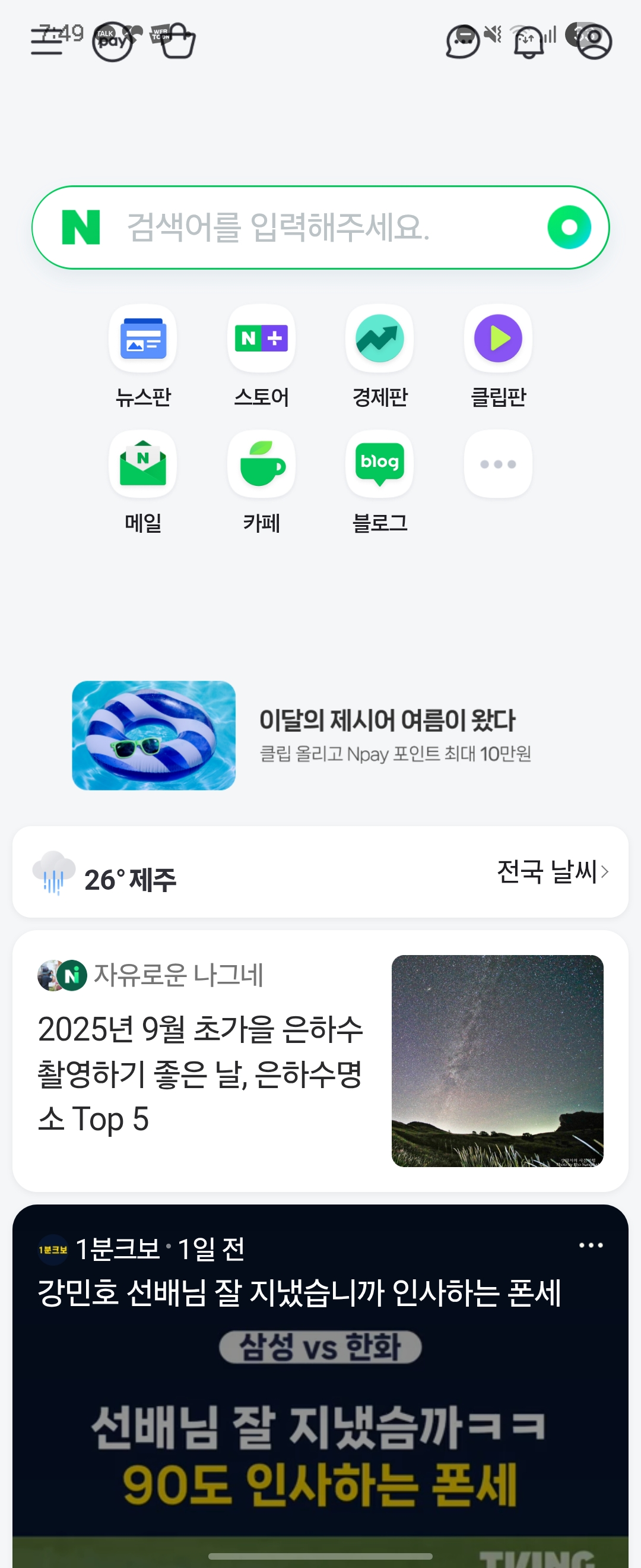
전체 화면으로 띄우니 맨 위의 아이콘들은 안드로이드의 상태바(노티 영역)와 겹쳐져서 클릭할 수 없는 문제가 있습니다.
요런건 스타일 태그로 해결할 수 있다고 하네요.
어쨌든 이렇게 하면 기본적인 웹뷰 환경 세팅은 끝납니다.
'IT > 기타' 카테고리의 다른 글
| [Claude Code] MCP 연결 및 사용 (feat. VSCode Extension) (0) | 2026.01.10 |
|---|---|
| [IT/Web] 쿠키 저장 정책(Set-Cookie, SameSite) (0) | 2025.12.11 |
| 사이드 프로젝트 개발환경 세팅 계획 (2) | 2025.08.03 |
| [IT] 서버 배포 관련 메모 (0) | 2025.06.30 |
| [Inner Circle] 프로젝트 기획 (0) | 2025.04.26 |

